
How to Add a CTA button to GMB Post?
- Make sure that you have selected the Google My Business social channel from the Publishing window that appears when you click on the New Post button.
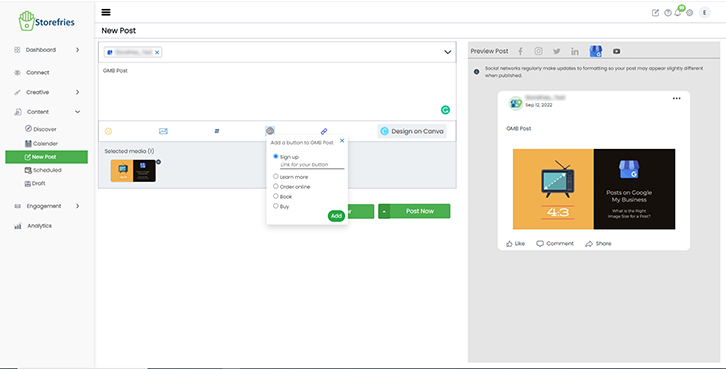
- Click the G+ icon from your compose screen and select a CTA button from the pop-up that appears: Sign Up, Learn More, Order Online, Book, or Buy.
- Enter the link to a website and click Add and Published or Schedule post to Storefries.
Page Views: