
Publish Post:
Published Posts displays a list of posts that you or your team members have published across social media channels.
How to Publish Post to Storefries?
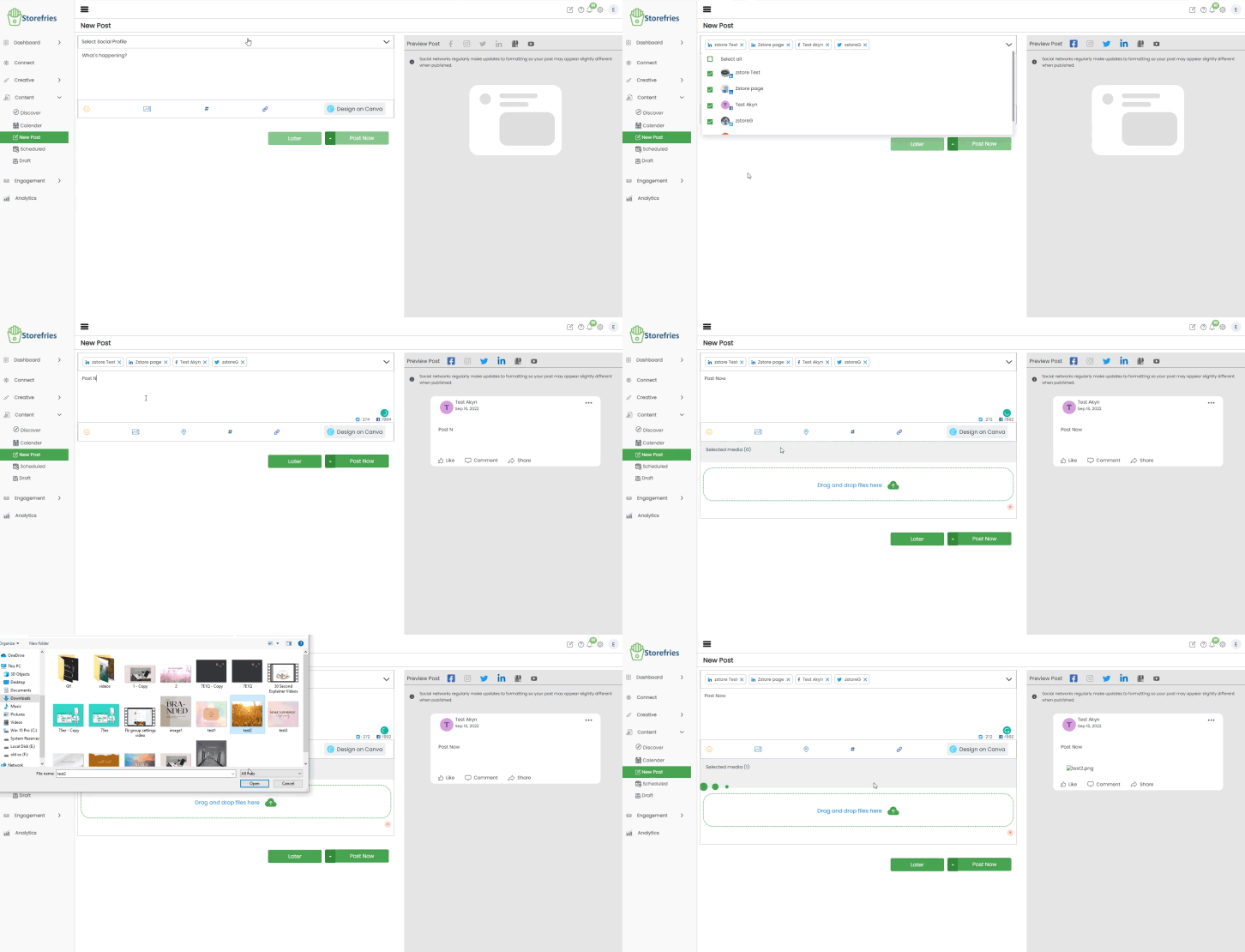
- Go to NewPost.
- Select the Social Profile you want to Publish the post.
- Select any Media Add a text in the Text Box and Publish Post.
- Multi-Media images (Carousel)can be Published in Storefries on the web.
- Click on the Post Now Button to post.
- It will redirect to the Published Section.
- You can Select Your Video Title and Video details, Video elements, checks and Visibility in Youtube to in Published Post.
- You can select your Reels ,Feed and Reels+Feed Options for instagram Published Post.
- Select Aspect Ratio Media to Post in Social Media Channels.
.jpg)
.jpg)
Page Views: