Discover
RSS Feeds:
RSS Feeds is a one-stop solution if you consume new content and updates from specific websites that you follow. With the RSS Feeds Dashboard on storefries,
you can curate a stream of new content which you like to read delivered straight to you, and publish them seamlessly to your social media channels, all from one
screen.
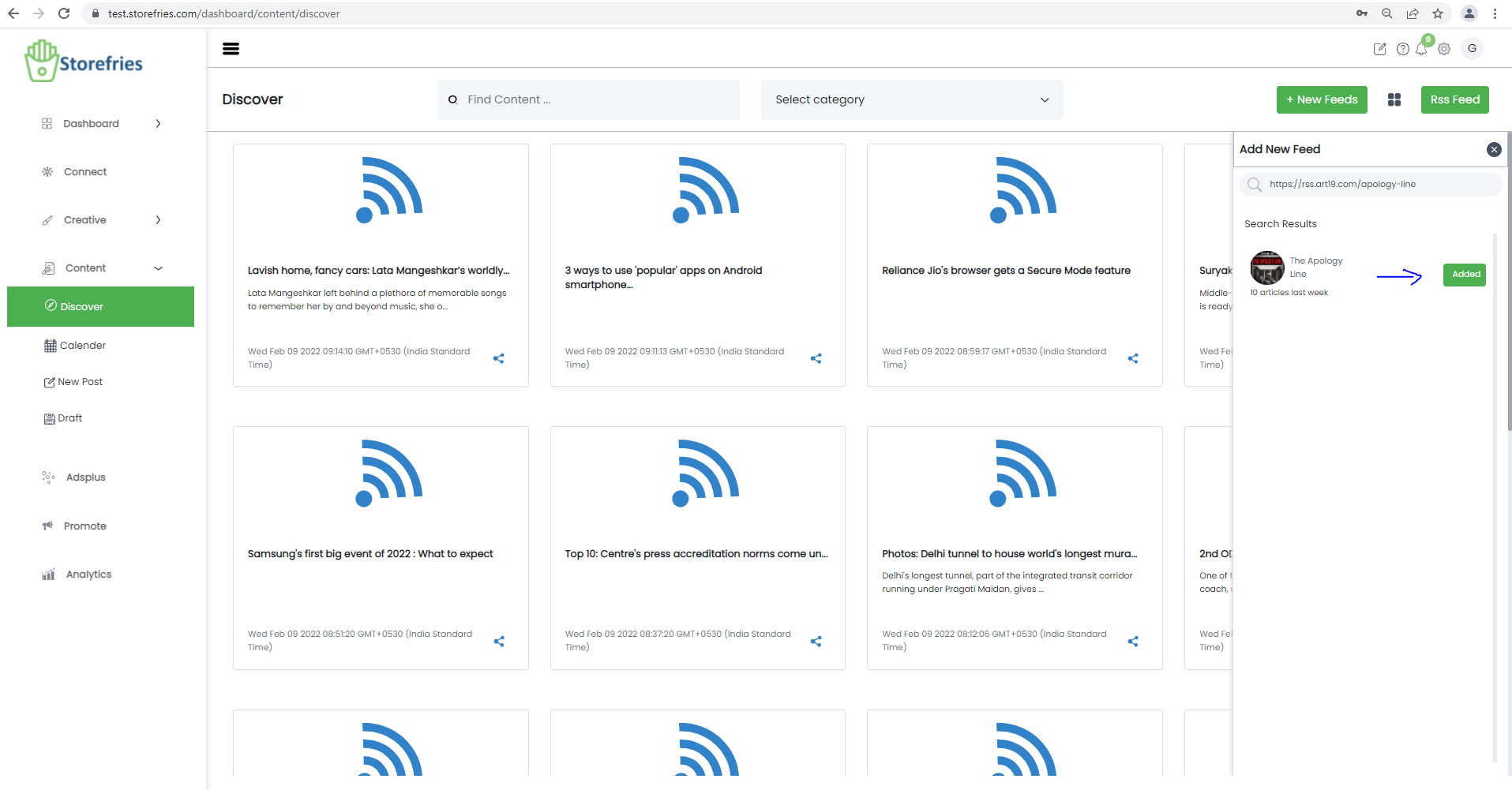
- click the New Feed on the top right corner.
- Type the name of the Website or Paste the Feed link in the search bar or upload.
- Hit the Add button to include the new Feed.
- From discover to share the feed to newpost to want .
Why am I viewing different number of articles for different Feeds?
RSS Feeds captures all the articles/blogs present in the specific webpage link you have provided.
How many RSS Feeds can I add?
You can include a maximum of 5 Feeds if you're on the Professional Plan under the 'Your Feeds' column and up to 20 Feeds if you're on the Free ,
Basic and Pro plans. If you are in Pro plan you can add unlimites Rss feed to storefries on web.
How to delete a Feed?
- To delete a Feed, hover over the Feed and click the bin icon-delete box.
- Now, hit the Delete button to remove the feed from the Your Feeds column.
How to generate/create an RSS Feed link from a website?
When you type out or paste a website URL, RSS Feeds will automatically suggest the Add Feed option for that website. In case you don't see an auto Add button,
do the following:
- Go to the website you want to get the feed link for.
- Now, right click and select the inspect option.
- Now use Control+F (Command+F for MAC) and search RSS.
- Now copy paste the URL to the search bar on storefries to add it as a feed.