Storefries Local Heatmap
See exactly where your business ranks on Google Maps.
Storefries Local Heatmap visualizes search rankings across a geo-grid, so your team can see where each location is strong, weak, or losing ground to nearby competitors.

What is Storefries Local Heatmap?
A visual local ranking map for every important keyword and location.
Storefries Local Heatmap shows how your business ranks across different points around a city, neighborhood, or service area. It scans location-based keywords, visualizes ranking strength, highlights weak zones, compares nearby competitors, and gives teams a clear local SEO roadmap for improving visibility.
Key capabilities
Everything your team needs to measure and improve local map visibility.
Use geo-grid data to understand how customers see your business from different streets, neighborhoods, suburbs, and service areas.
Geo-grid rank scans
Scan rankings across multiple map points to reveal true hyperlocal visibility.
Keyword heatmaps
Visualize ranking strength for each target keyword, service, product, or local campaign.
Map-pack tracking
Track where your business appears in top map results and where it needs work.
Competitor overlays
Compare local ranking coverage against nearby competitors in the same search area.
Weak-zone detection
Find streets, neighborhoods, and radius areas where visibility drops.
Historical movement
Compare heatmaps over time to understand whether local SEO work is improving rankings.
Shareable reports
Create clear ranking reports for managers, franchisees, clients, and local teams.
Multi-location views
Monitor heatmap performance across stores, branches, service areas, and client accounts.
Benefits
Stop guessing where local rankings are strong or weak.
- See ranking performance by exact search area instead of relying on one city-wide position.
- Prioritize local SEO actions based on the map zones that need the most improvement.
- Understand how competitors perform around your location and where they are outranking you.
- Prove ranking improvements to clients, franchisees, or leadership with visual reports.
- Connect heatmap insights with listings, reviews, posts, and local search campaigns.
Who should use it?
Built for teams that need location-level ranking clarity.
Local businesses
Understand where nearby customers can find you and where visibility needs improvement.
Franchise teams
Compare ranking strength across independently managed branches and service areas.
Marketing agencies
Show clients clear local SEO performance, competitor gaps, and improvement opportunities.
Multi-location brands
Track map visibility across stores, regions, cities, and neighborhood campaigns.
Local SEO teams
Use heatmap data to guide keyword, listing, review, and Google Business Profile work.
Operations leaders
Spot underperforming markets and give local teams clearer actions to improve visibility.
Common use cases
Use Local Heatmap whenever map visibility needs a visual diagnosis.
Track service keywords
Scan important keywords such as emergency dentist, pizza near me, car repair, or gym nearby.
Compare competitors
See where nearby competitors dominate the map and where your business can gain ground.
Prioritize SEO fixes
Use weak zones to guide listing optimization, review campaigns, local posts, and content updates.
Launch new locations
Measure early visibility after opening a store, branch, clinic, restaurant, or service area.
Monitor progress over time
Compare scans before and after SEO work to show whether ranking coverage improved.
Report to stakeholders
Share visual heatmap reports with clients, franchisees, managers, and leadership teams.
Supported business types
Local Heatmap fits any business that depends on nearby discovery.
| Business type | Typical need |
|---|---|
| Restaurants and QSR | Measure visibility for food, pickup, delivery, and near me searches around each outlet. |
| Healthcare and clinics | Track ranking coverage by treatment, specialty, city, neighborhood, and clinic location. |
| Retail chains | Understand store-level discovery across local product, category, and brand searches. |
| Automotive businesses | Monitor service, dealership, repair, and parts visibility across service areas. |
| Home services | See where plumbers, electricians, cleaners, and contractors rank across service zones. |
| Agencies and franchises | Create visual local SEO reports across many clients, branches, regions, and campaigns. |
Frequently asked questions
Local Heatmap questions, answered quickly.
What does a local heatmap show?
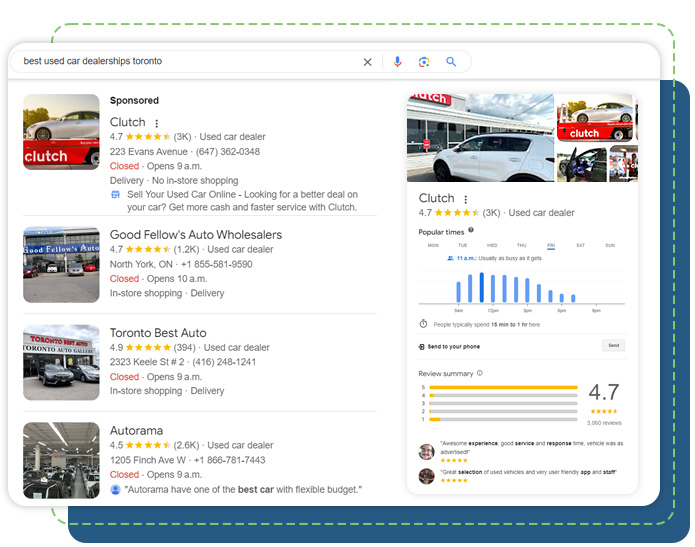
A local heatmap shows how your business ranks at different map points around a target area. This helps teams see strong ranking zones, weak areas, and competitor pressure more clearly.
Can I track multiple keywords?
Yes. You can scan different keywords, services, products, and near me search terms to understand visibility across the searches that matter most.
Is Local Heatmap useful for multi-location brands?
Yes. Multi-location teams can compare heatmap performance across branches, cities, service areas, and franchise locations.
Can it compare competitors?
Yes. Heatmap insights can be used with competitor tracking to understand where nearby businesses are ranking better and where your location has opportunity.
How does this help local SEO?
Heatmap data helps prioritize listing updates, reviews, local content, posts, photos, and keyword work based on the exact areas where rankings need improvement.
Related products
Connect Local Heatmap with the rest of your local marketing stack.
Local Search
Manage rankings, listings, Google Business Profiles, and local search visibility.
Competitor Tracking
Benchmark nearby competitors and understand local market movement.
Review Management
Monitor and respond to reviews that influence local ranking and trust.
Analytics
Measure local performance, campaign movement, and location-level growth.
Stop guessing where your business ranks on Google Maps.
Use Storefries Local Heatmap to visualize local visibility, find ranking gaps, compare competitors, and guide smarter local SEO actions.