Storefries Integrations
Connect every marketing channel into one working system.
Storefries Integrations help teams connect social media channels, Google Business Profile, URL shorteners, and creative tools so publishing, optimization, and reporting can happen from one connected workflow.
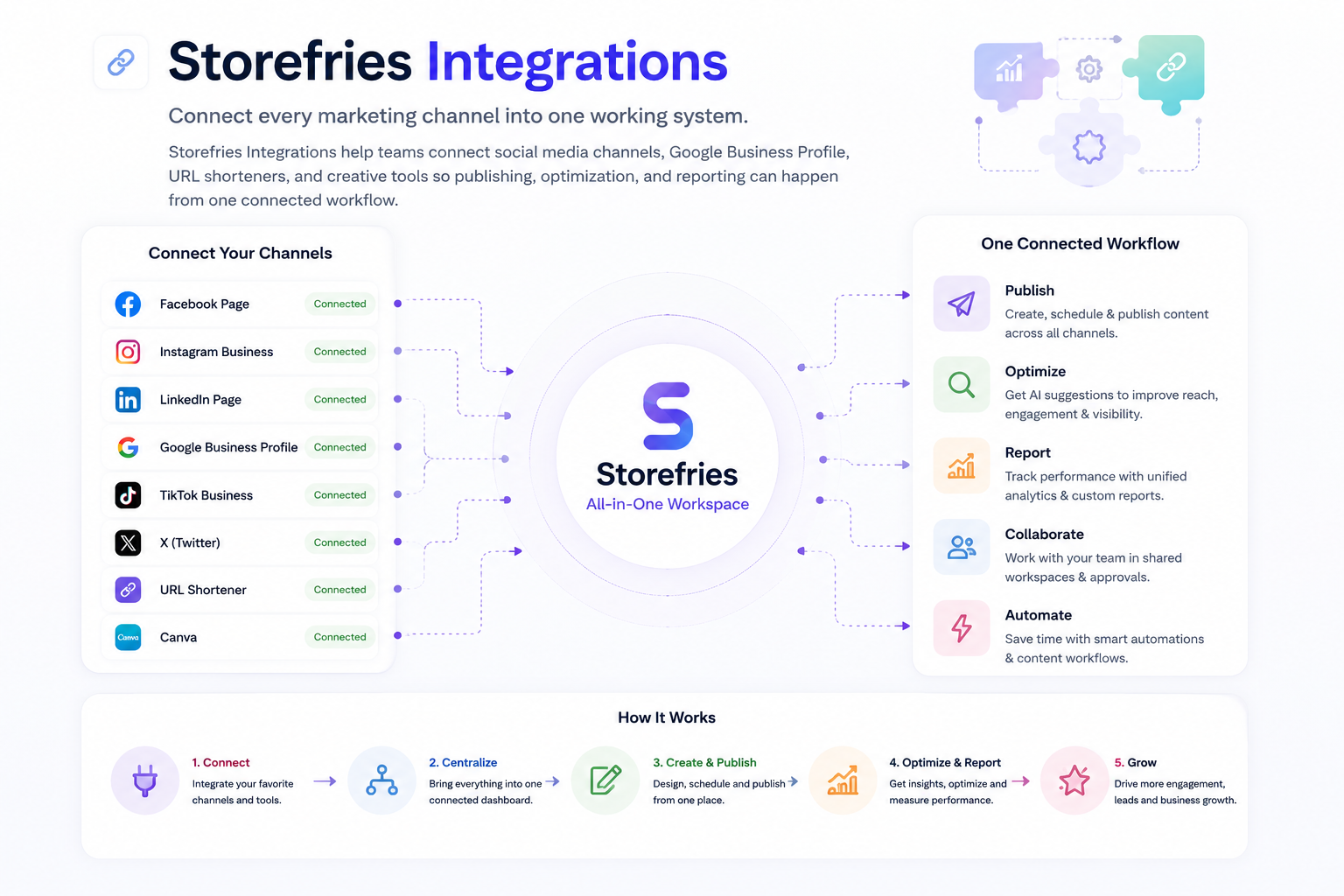

What are Storefries Integrations?
A connected workflow for social publishing, local updates, creative assets, and link optimization.
Storefries Integrations bring the tools marketers already use into a single operating flow. Teams can connect major social platforms, publish Google Business Profile updates, shorten campaign links, create visuals, and keep daily marketing execution moving without switching between disconnected tools.
Key capabilities
Everything your team needs to connect marketing tools and move faster.
Use Storefries Integrations to reduce manual switching, keep campaigns consistent, and connect publishing, creative, local, and reporting workflows.
Facebook publishing
Plan and publish content for Facebook pages as part of a connected social workflow.
Instagram business
Connect Instagram Business accounts for content creation, scheduling, and campaign execution.
LinkedIn presence
Organize professional content and maintain consistent publishing for business audiences.
YouTube workflows
Support video-led campaigns with connected publishing and performance context.
Google Business Profile
Publish local updates, offers, and posts where nearby customers discover your business.
URL optimization
Use Bitly or Storefri.es links to shorten, brand, and manage campaign URLs.
Creative tools
Connect Canva-led design workflows with social media publishing and campaign planning.
Unified workflow
Bring channels, links, visuals, and local updates into one Storefries workspace.
Benefits
Keep every marketing tool connected to the work that matters.
- Reduce context switching between social platforms, creative tools, local profiles, and link tools.
- Keep campaigns consistent across channels while giving teams one shared publishing workflow.
- Publish faster across social and Google Business Profile without duplicating manual work.
- Use optimized URLs and branded short links to make campaigns cleaner and easier to track.
- Connect creative production with content planning so assets move smoothly into campaigns.

Who should use it
Built for teams that need connected marketing execution.
Marketing teams
Connect publishing, links, creative assets, and local updates in one workflow.
Multi-location brands
Coordinate local posts, social campaigns, and profile updates across many locations.
Franchise teams
Give brand and local operators a cleaner way to manage connected campaign tools.
Agencies
Manage client social channels, campaign links, and creative workflows from one platform.
Content teams
Move visuals, captions, videos, and links from creation into publishing more easily.
Growth teams
Connect campaign execution with cleaner links, channels, and performance workflows.
Common use cases
Use Integrations whenever marketing work depends on connected tools.
Schedule social campaigns
Plan and publish content across connected social channels from a shared workflow.
Publish local updates
Use Google Business Profile integration to share local posts, offers, and updates.
Shorten campaign URLs
Create cleaner campaign links with Bitly or Storefri.es URL optimization options.
Create social visuals
Use Canva-connected creative workflows to move images into campaigns faster.
Support video content
Coordinate YouTube and video-led social campaigns with the rest of your channels.
Centralize execution
Bring publishing, creative, links, and local marketing work into one operating view.
Supported integration types
Integrations support the tools teams use to create, publish, and optimize campaigns.
| Integration type | Typical need |
|---|---|
| Social channels | Publish and manage content across Facebook, Instagram, LinkedIn, YouTube, Pinterest, and related channels. |
| Local profiles | Share Google Business Profile posts, offers, and updates for local discovery. |
| URL optimization | Create short, branded, and campaign-ready links with Bitly and Storefri.es. |
| Creative production | Use Canva-connected design workflows to support campaign and social assets. |
| Multi-location workflows | Coordinate connected tools across stores, branches, regions, and franchise accounts. |
| Agency operations | Manage client channels and supporting tools from a single marketing workspace. |
Frequently asked questions
Integrations questions, answered quickly.
What can Storefries Integrations connect?
Storefries Integrations connect social media channels, Google Business Profile workflows, URL shorteners, creative tools, and related marketing systems.
Can I publish to social channels from Storefries?
Yes. Storefries supports connected social publishing workflows for channels such as Facebook, Instagram, LinkedIn, YouTube, and Pinterest.
Does Storefries support URL shorteners?
Yes. Teams can use URL optimization options such as Bitly and Storefri.es to create cleaner campaign links.
Are integrations useful for multi-location brands?
Yes. Connected workflows help multi-location and franchise teams coordinate social, local, creative, and campaign tasks across many locations.
Related products
Connect Integrations with the rest of your marketing stack.
Social Media Management
Schedule, publish, and manage connected social content across channels.
Analytics
Measure campaign performance, content engagement, and channel growth.
Local Search
Manage local rankings, listings, and Google Business Profile visibility.
AI Brand Agent
Use AI-driven workflows to support content planning and campaign execution.
Connect your tools and run marketing from one workflow.
Use Storefries Integrations to connect social channels, local profiles, creative tools, and campaign links across your marketing stack.